



 A couple of weeks ago I reported how to set up iCloud email in Windows 8 mail app. A reader of miApple.me, Lesane, asked where emails, which were sent in Windows 8 mail app or Windows Phone 7 or 8 mail app, could be find on the iPhone or iPad. At first, I wondered myself, but the first idea where to find it is wrong: You will not find your email in the ‘Sent’ folder!
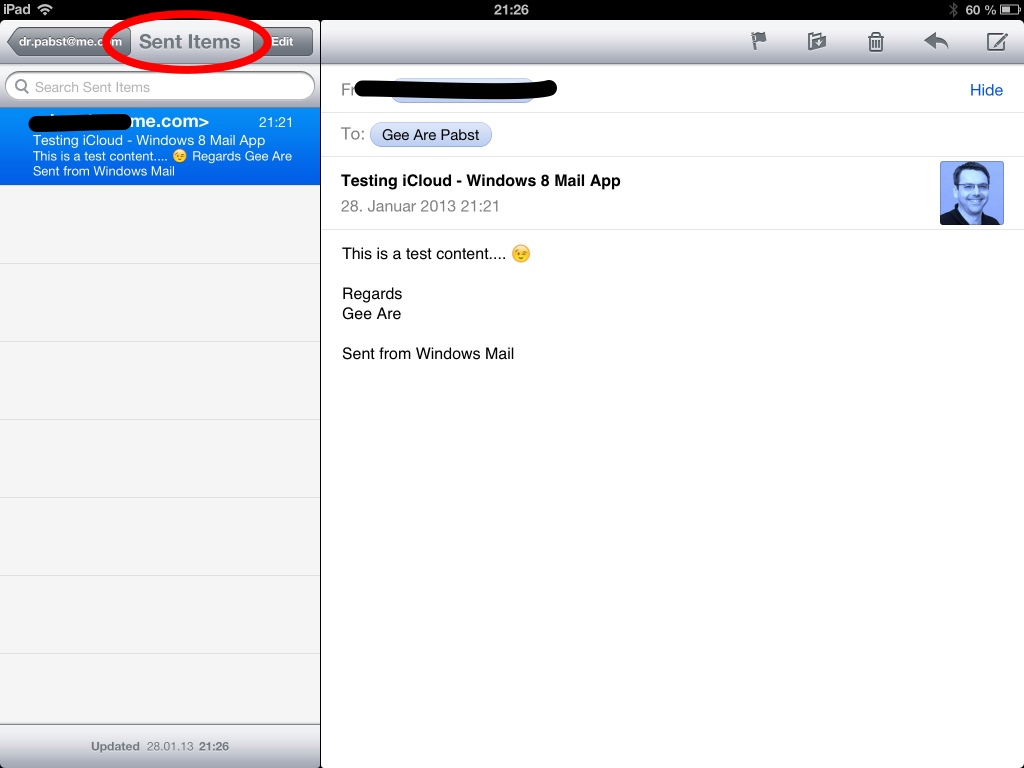
Another reader of miApple.me, David Shipley, immediately presented the correct answer: Your sent email is saved in the folder ‘Sent items’. I checked it by myself:
1. Go to Windows 8 mail app.
2. Choose your me.com / iCloud account.
3. Write and sent your email:
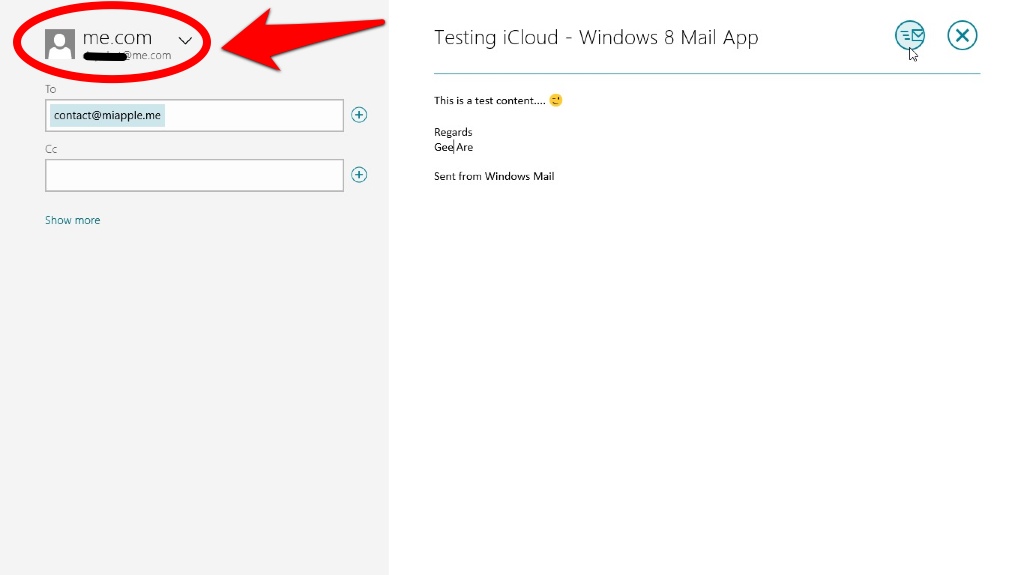
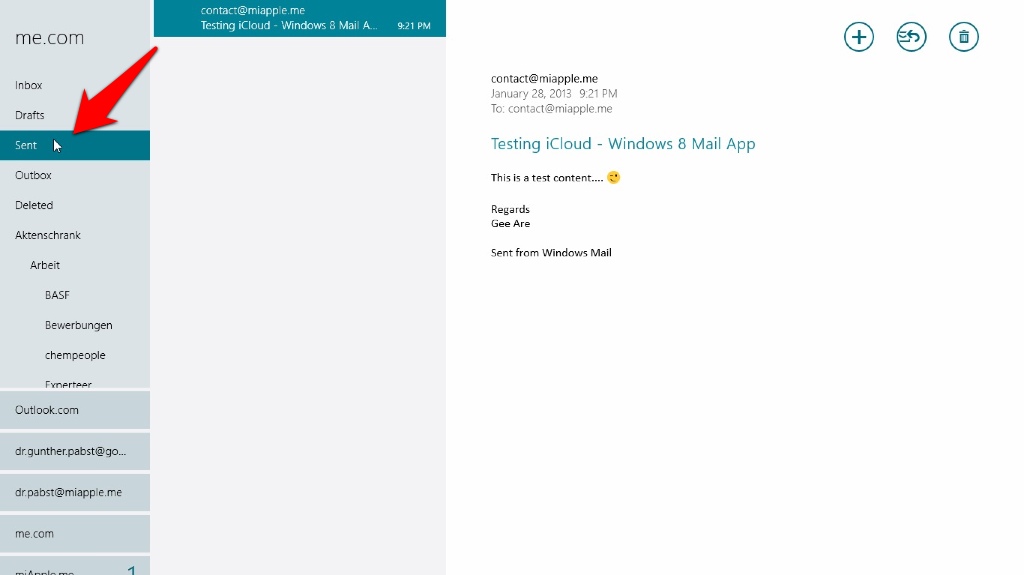
4. Check your ‘Sent’ folder in Windows 8 mail app to be sure that your email was sent correctly:
5. Take your iPhone, iPad or any other iDevice, open the mail app and go to the folder ‘Sent items’ which is normally located at the end of your folder list:
That’s it! Thanks to Lesane and David Shipley for asking and answering!
Stay tuned! 😉
