


 Yesterday I described how to set up syncing Gmail in Windows 8 and RT mail app because Google cancelled the support of Microsoft Exchange ActiveSync for new subscribers and for new devices on January 30, 2013 (for Windows Phones on July 31, 2013). Now you’ve got to use IMAP for emails, CalDAV for calendars and CardDav for contacts. Right now Microsoft does not support neither the pushing function of IMAP, nor CalDAV and CardDAV.
For the later I found how to set it up. In the following I will show you how to set up Google Contacts with Windows 8 Contact App (or Windows 8.1 People App, Windows RT Contact App):
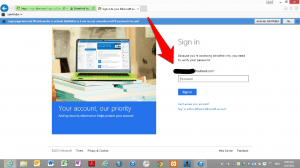
- Go to your Microsoft Account and Login with your account email and password:

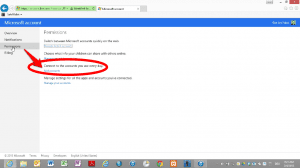
Source: miApple.me - Choose “Permissions” and “Add accounts”:
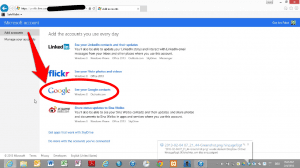
Source: miApple.me - In the menu “Add accounts” click on “See your Google contacts”:
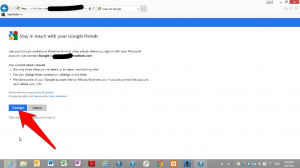
Source: miApple.me - Push “Connect”:
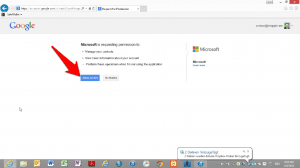
Source: miApple.me - Push “Allow Access”:
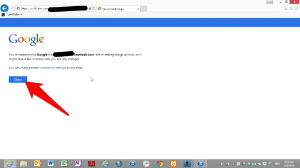
Source: miApple.me - Now you’re connected to Google! Push “Done”:
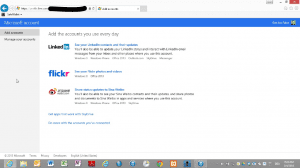
Source: miApple.me - You’re redirected to the menu “Add accounts”. You can add another listed account if you want (Linkedin, flickr, Sina Weibo):
Source: miApple.me
Now your Google contacts are connected to Windows 8 or Windows RT Mail App. But take care to manage your contacts in Google online because changes made in the Windows Contact App will not be synced with Google!
Stay tuned! 😉

2 Comments
Pingback: How To Sync Google Contacts With Windows 10 People App - miApple.me
Pingback: Setting Up Google Calendar Sync In Windows 8 With Outlook 2010 And 2013 | miApple.me